Google Maps is rolling out two major new features that completely change how you navigate and search: Immersive Navigation and Ask Maps powered by Gemini AI. Google calls Immersive Navigation “the most significant update to driving directions in over a decade.”
Immersive Navigation – 3D Views That Feel Real
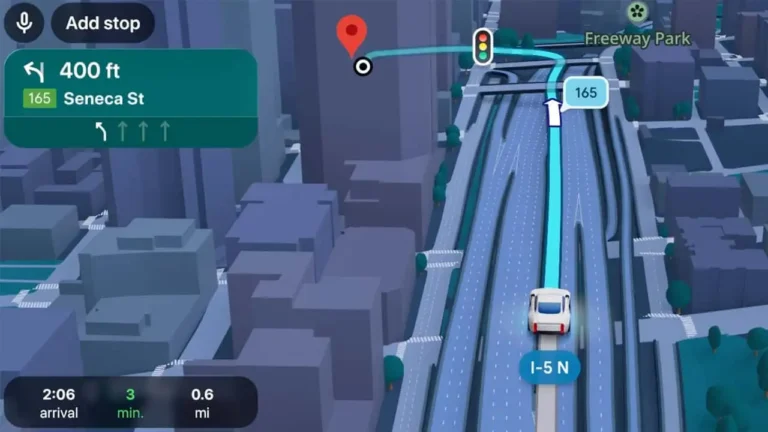
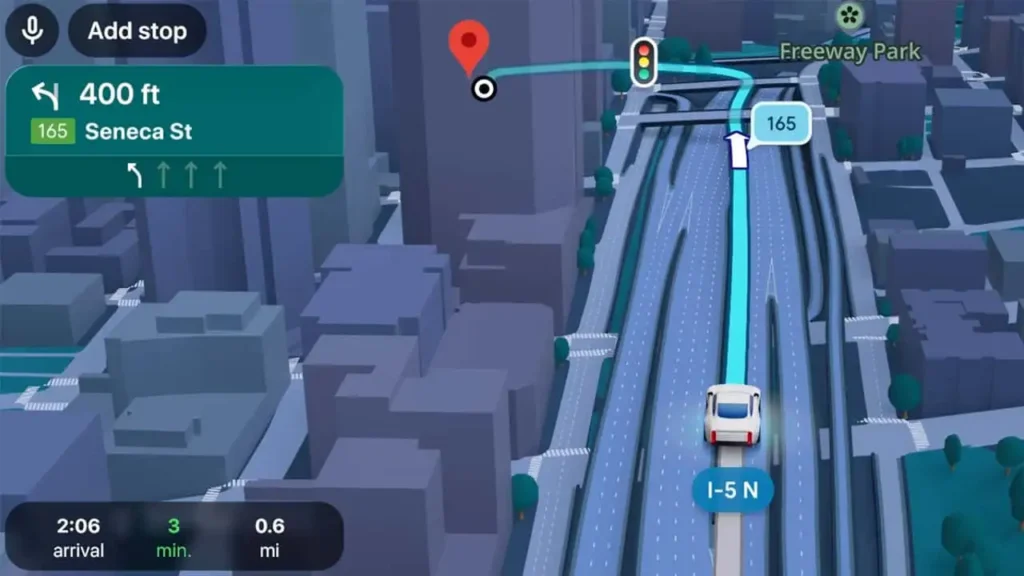
This new mode replaces flat 2D maps with detailed 3D environments built from Street View and aerial imagery. You’ll see:
- Buildings, overpasses, crosswalks, traffic lanes
- Traffic lights and stop signs in real time
- Smart zooms and transparent buildings so you can see your next turn clearly
The visuals are generated by Gemini AI for accurate, lifelike representations. Voice guidance now sounds more natural (“like a friend”), and Maps will alert you to route disruptions or suggest trade-offs (faster with toll vs. longer but less traffic). You can even preview your destination with Street View and parking recommendations before leaving.
Ask Maps – Chat with Maps Like ChatGPT
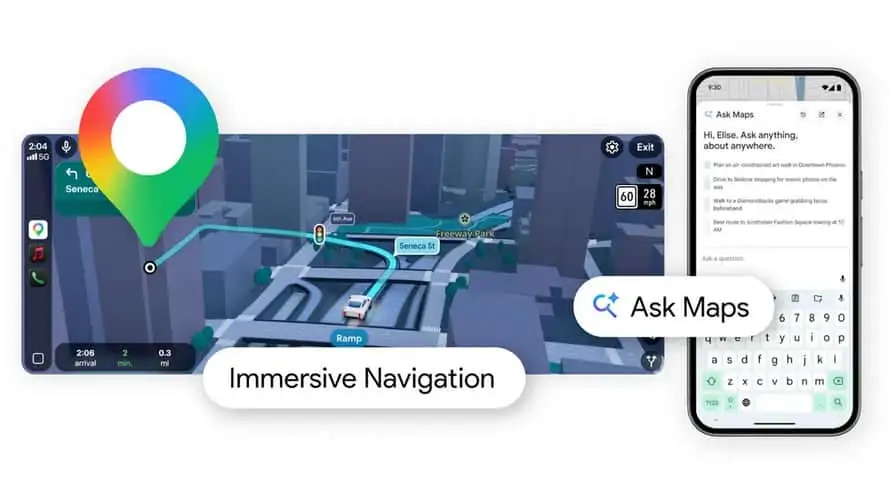
The second big addition is Ask Maps, a conversational Gemini AI assistant built right into the app. You can ask things like:
- “My phone is dying – where can I charge it without waiting in line for coffee?”
- “I’m heading to the Grand Canyon, Horseshoe Bend, and Coral Dunes – any recommended stops?”
- “Is there a public tennis court with lights on tonight?”
Maps instantly shows a personalized map with results based on your past searches and saved places. No more manual searching or switching apps.
Rollout Timeline
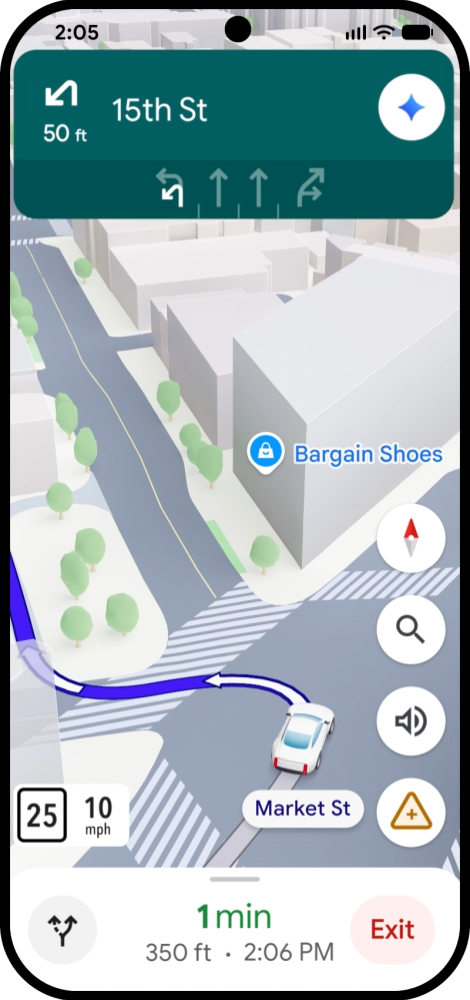
- Immersive Navigation: Rolling out now in the United States; coming soon to eligible iOS and Android devices, Apple CarPlay, Android Auto, and cars with Google built-in.
- Ask Maps: Already live in the US and India on Android and iOS; desktop browser version arriving soon.
Summary of New Google Maps Features
| Feature | What It Does | Availability |
|---|---|---|
| Immersive Navigation | 3D buildings, lanes, smart zooms, natural voice | US now; global soon |
| Ask Maps (Gemini) | Conversational search with personalized maps | US & India now; desktop soon |
| Route Alerts | Real-time disruptions & trade-off suggestions | With Immersive Navigation |
| Destination Preview | Street View + parking info before you leave | With Immersive Navigation |
For PC users, the desktop version of Ask Maps will make planning trips or finding local spots much faster in the browser.
X Reactions
Early users are calling it “Google Maps finally feels futuristic” and “Ask Maps is actually useful AI for once.” Some are already testing the 3D views and love how much easier it is to spot turns.
This update finally makes Maps feel modern again. Have you tried the new features yet? Let us know in the comments!
Sources: Google Blog, TechPowerUp, Windows Central, The Verge, 9to5Google, NotebookCheck