Image credit: Microsoft
Microsoft has just enabled official support for refresh rates above 1,000 Hz in Windows 11 with the latest Release Preview builds (26100.8106 and 26200.8106, KB5079387). This is the first time Windows natively handles four-digit refresh rates, preparing the OS for the next wave of ultra-high-refresh gaming monitors.
Philips and AOC have already launched the first consumer monitors that take advantage of this: the Philips Evnia 27M2N5500XD and AOC AGON Pro AGP277QK. Both use the same 27-inch IPS panel and offer dual-mode operation:
- 1440p at 500 Hz
- 720p at 1,000 Hz
The lower resolution mode is designed for competitive FPS titles where GPUs like the RTX 5090 can push well over 700 FPS at 1080p (726 FPS observed in Counter-Strike 2). Switching to 720p lets the panel hit the full 1,000 Hz ceiling without dropping frames.
Why Windows Needed This Update
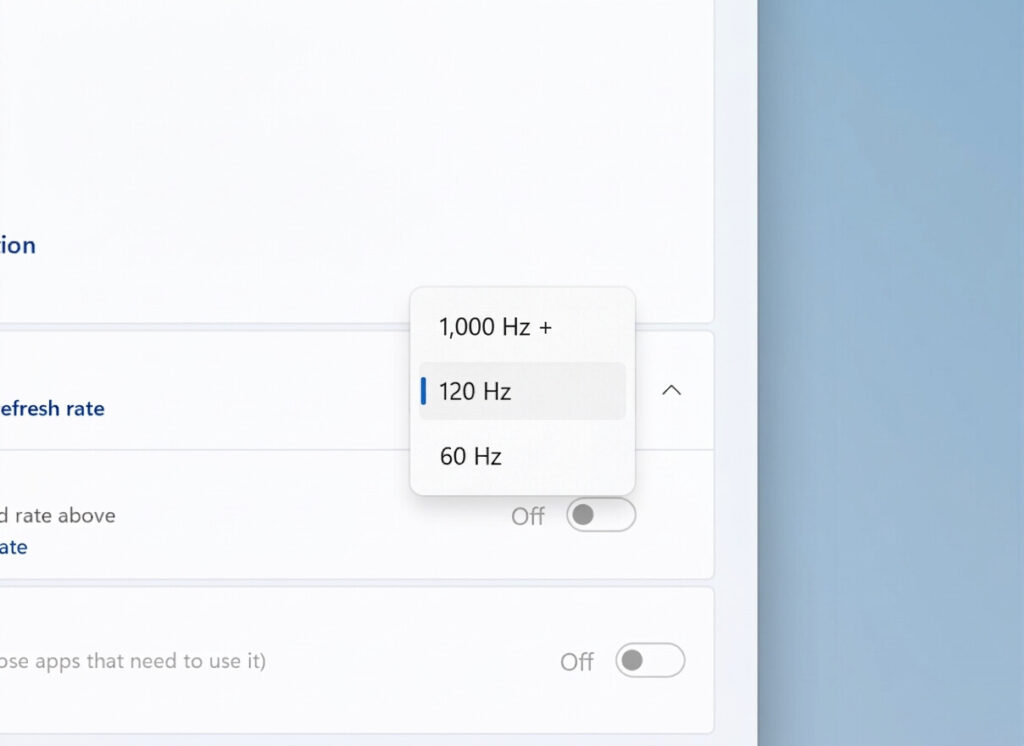
Gaming monitors have jumped from 144 Hz to 360 Hz and now 500–1,000 Hz in just a few years. Modern GPUs can deliver hundreds of frames in esports titles, so the OS had to catch up. Microsoft added native support so you no longer need custom drivers or workarounds for these panels.
Performance Context
At 1080p, the RTX 5090 already reaches ~726 FPS in CS2. Dropping to 720p easily pushes past 1,000 FPS, fully utilizing the new 1,000 Hz mode. Expect more 1080p and 1440p 1,000 Hz panels in 2026–2027 as GPU power continues to grow.
Summary of Current High-Refresh Monitors
| Monitor Model | Resolution / Refresh Rate | Panel Type | Key Feature |
|---|---|---|---|
| Philips Evnia 27M2N5500XD | 1440p / 500 Hz or 720p / 1,000 Hz | IPS | Dual-mode switching |
| AOC AGON Pro AGP277QK | 1440p / 500 Hz or 720p / 1,000 Hz | IPS | Same panel as Philips |
| Typical Gaming Monitors | 1440p / 240–360 Hz | OLED/IPS | Current mainstream max |
Future Outlook
We’re still early in the 1,000 Hz era. Full 1080p and 1440p panels at 1,000 Hz will arrive as GPUs get even faster, but for now these dual-mode 27-inch monitors give competitive players a taste of what’s coming.
If you’re an Insider and have one of these monitors, test it out and let us know how smooth 1,000 Hz feels!
Sources: Microsoft, HardwareLuxx, VideoCardz, NotebookCheck, TechPowerUp